
TaxDome is our secure client portal that makes working together easier and safer. Instead of juggling emails, paper documents, and phone calls, everything happens in one protected space.
Here’s why we use it:
Secure and intuitive. The portal uses bank-level encryption to protect your sensitive financial information. It’s designed to be user-friendly even if you’re not tech-savvy.
Everything in one place. You can electronically sign documents, pay invoices, upload tax materials, and sign engagement letters — all without visiting multiple websites. Access it from your mobile phone, tablet, or computer.
Safe information exchange. TaxDome has a built-in secure messaging system where we can request information or chat in real time. Much safer than email.
Clear notifications. If we need something from you, you’ll receive timely alerts and see an easy-to-read to-do list. No more wondering if we got your documents.
Mobile friendly. Access your account anytime, anywhere, from any device.
In Step with the IRS: As the IRS continues to mandate electronic payments and phased out paper checks, moving to a secure digital portal like TaxDome ensures you’re prepared for these government-driven changes. It simplifies how you handle payments and interact with us, mirroring the direction the IRS is heading.
How to Start
Step 1: Activate Your Account
Now that you’ve received an invitation, click on the Activate Account button
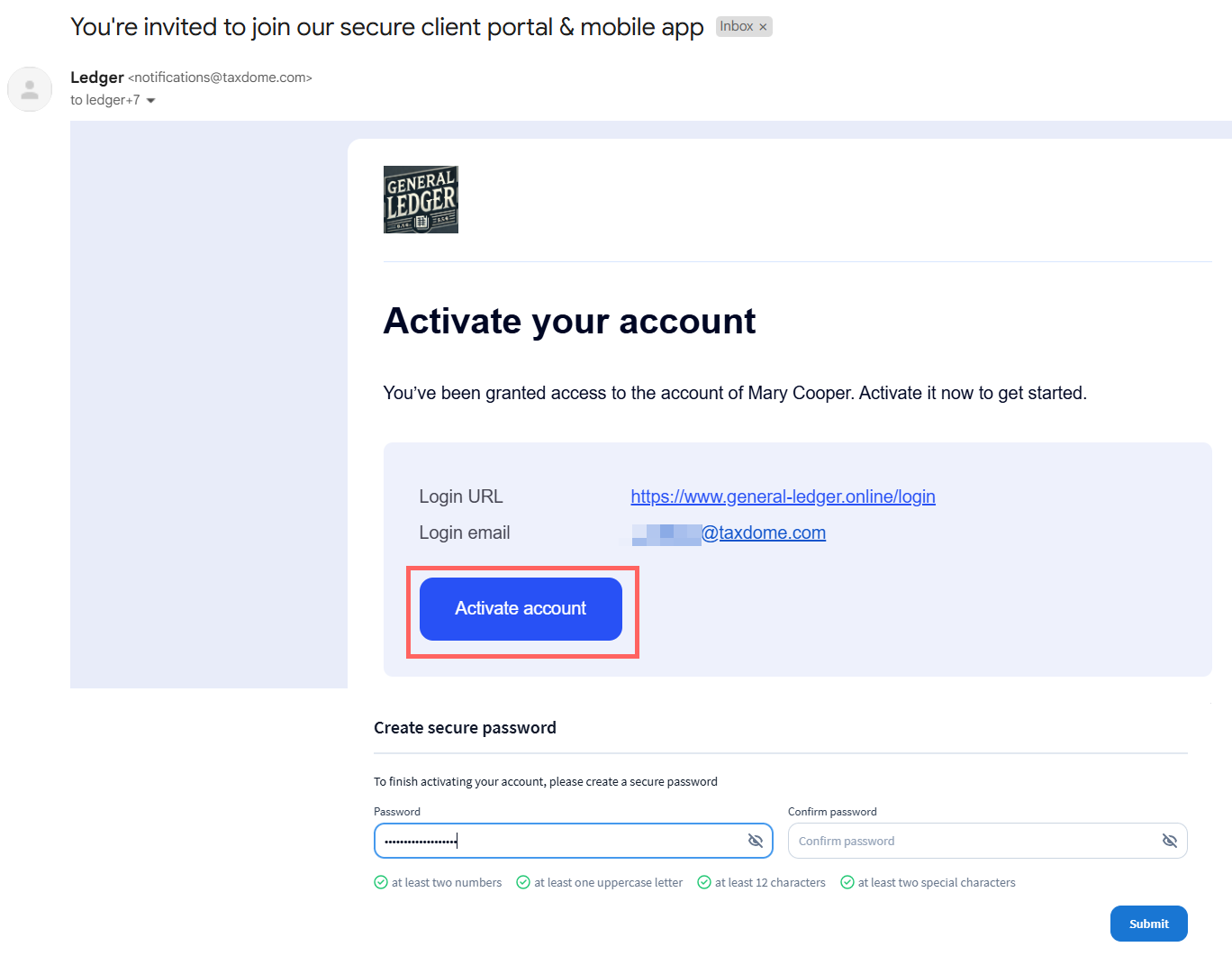
- Open the email and click the “Activate Account” button
- Create your password (enter it twice to confirm)
- Click “Submit”
That’s it! Now you can use your portal. To return in the future, just sign in with your email and password.
Step 2: View Your To-Dos
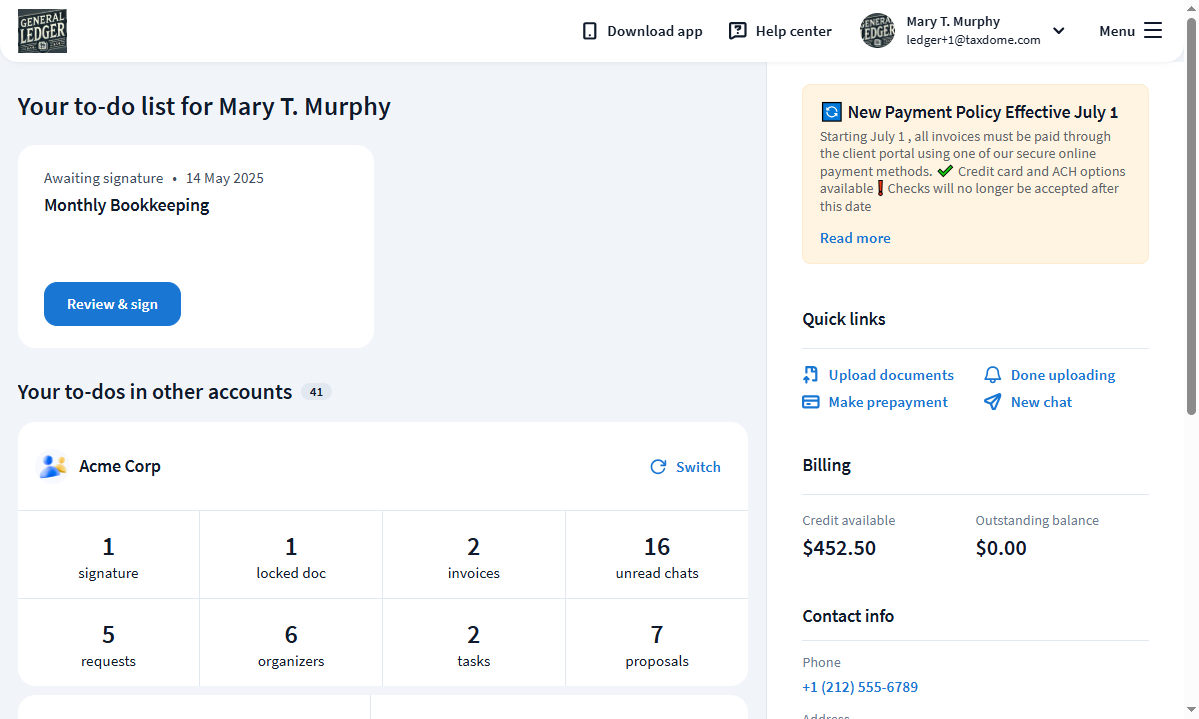
The first page you see is your dashboard with notifications about:
- Unpaid invoices
- Unseen messages
- Unread documents
- Our firm’s contact information
Everything you need to know is right there when you log in.
Step 3: Explore the Main Menu
In the left sidebar, you’ll find:
Documents — Upload your tax documents, e-sign forms, and download completed returns we’ve prepared for you.
Chats & Tasks — Ask us questions or respond to our requests. This secure messaging is much safer than email.
Engagement Letters — E-sign custom engagement letters that define what we’re doing for you.
Invoices — View and pay invoices for our services, review payment history.
Settings — Manage your account preferences and add additional users (like your spouse) if needed.
Common Questions
Is this secure?
Yes. TaxDome uses the same encryption level as major banks. Your information is much safer here than in regular email.
What if I make a mistake?
No worries. Just message us through the portal and we’ll help sort it out.
Do I need a computer?
Nope! TaxDome works great on phones and tablets too.
Can my spouse use it?
Absolutely. We can add additional users to your account in the Settings section.
Is this email really from you?
Yes! When you see an invitation from TaxDome, it’s legitimate. We’re the ones who sent it. If you’re ever unsure, give us a call to verify.
Need More Help?
Call us: We’re happy to walk you through it step-by-step
Video tutorials: TaxDome Client Academy on YouTube
Detailed help: TaxDome Client Help Center
Remember: Dan is a former IT professional and genuinely enjoys helping people with technology. Don’t hesitate to reach out with any questions — seriously, no question is too basic or “dumb.” We want you to feel confident using the system.
Dan
ACTC Ascuena Campbell Tax Consulting